![]() |
Для авторов Архив рассылки |
Русский English | ||
| Путь: Panvasoft / Блог / Установка Transmission на WD MyBook Live |
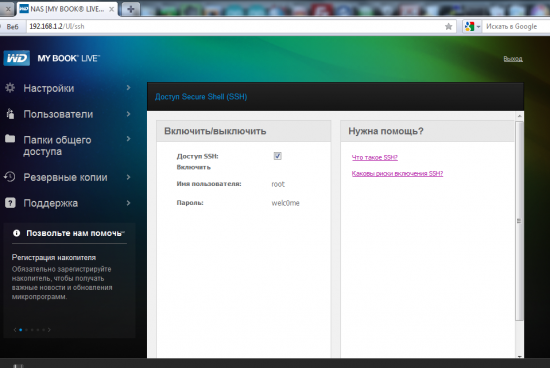
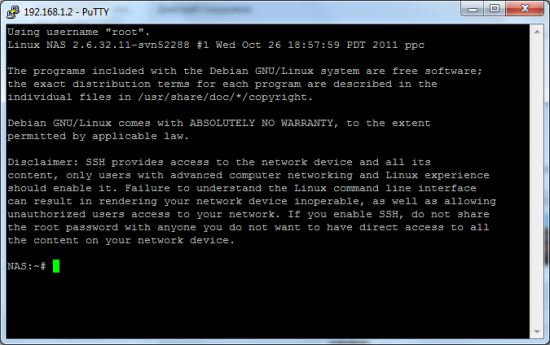
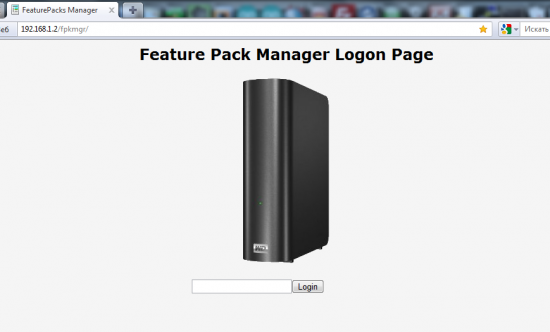
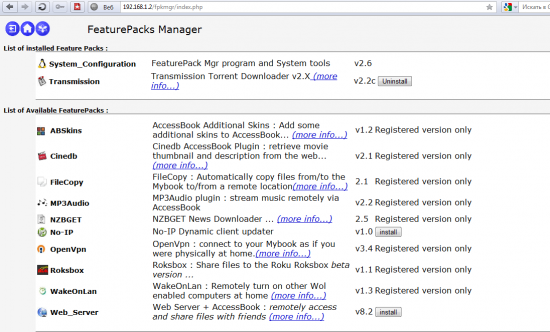
Есть несколько способов установить торрент клиент на сетевой накопитель WD MyBook Live, рассмотрим один из них Установка Features Pack ManagerСуществует пакет, называемый Features Pack Manager суть которого скрыть операции с коммандной строкой от пользователя и при этом дать ряд интсрупентов, доступных из коммандной строки, такие как посмотреть состояние системы и установка полезных приложений, которых нет в стандартном комплекте. Одним из таких приложений является торрент клиент Transmission. Для его установки нужно выполнить несколько действий:
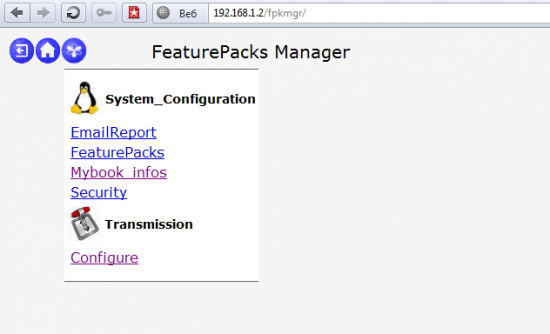
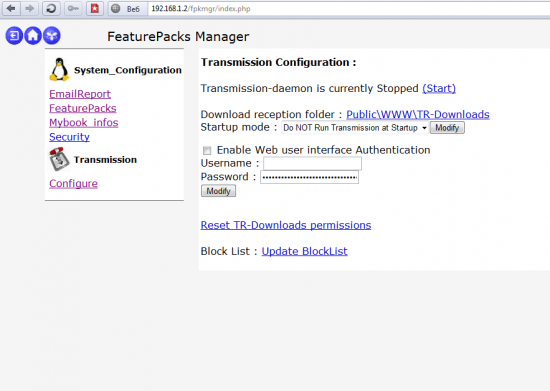
Установка TransmissionУстановка торрент клиента используя Fearture Pack Manager происходи достаточно просто:
Все. Установка завершена, интерфейс торрент клиента доступен вам по адресу http://<mybooklive_ip>:9091/ Для удобства использования с компьютера рекомендую установить графические интерфейс Transmission GUI доступный для различных платформ.
Категория: Сеть и интернет
Опубликовал: Feeder, Дата: 18.7.2013, Просмотров сегодня: 4, Просмотров всего: 144220, Рейтинг:
Теги: Transmission, NAS, WD, WD MyBook Live, Features Pack Manager
Расскажи друзьям: Еще статьи на угад: Установка Transmission на WD MyBook Live Установка Transmission на WD MyBook World Edition В Apple создали браузер под Windows Firefox и 30-процентный барьер Установка и настройка службы TFTP (Trivial File Transfer Protocol). QIP (Quiet Internet Pager) Как на самом деле работает Ping? Ваши комментарии:
|
| ||||||||||||||||||||||||
Our team is proud to introduce for you the all-in-one bot:
First of all Make freebies
You can make custom present, including special access, data, pictures, clips, visuals, coupons, special coupons, discounts, special codes, and so on, including custom rule to claim the freebie. Specifically, rule for receiving present will be a subscription to the channels you specified at creation plus specific quantity of hits via your invite link inside the bot.
Now you’re able to try our free option for creating gifts; but, to activate it, you must include several channels among your channel subscription.
Please visit our bot t.me/netxmixbot click "start" then press "Create Free Gift".
2) Set up paid memberships in TG channels and groups
Now you’re able to set up premium access in your channels or TG groups using Netxmix bot. Payments are auto-processed and processed digital currency.
For setting up a paid membership, simply go to Netxmix bot https://t.me/netxmixbot tap "start" – profile - channels - add channel.
With Netxmix it’s possible to find a large number freebies which members previously made, any of which you’re able to receive completely free.
Just click "GIFTS" option inside the bot.
Welcome https://t.me/netxmixbot
No-cost fresh 10+ billions AI, streaming, Gmail, cloud storage, game accounts, gaming, proxy, Discord, TG, cloud, etc. data in our telegram bot.
For got DBs simply click this link or simply enter START at @netxmixbot, select GIFTS in bot menu, choose section ULP-DBs, archives, NCloud and press on the database.
262 millions fresh data in crypto activity:
t.me/netxmixbot?start=gift_1
Billions of fresh updated data of banking, media, soft activity:
https://t.me/netxmixbot?start=gift_4
Tons of other databases inside, please subscribe @netxmixbot and receive new databases each day:
t.me/netxmixbot